Infinite scroll, when used correctly, is a wonderful tool for improving engagement on your website. You lower your users’ barrier to getting the next page of content, which increases their chances to find something interesting and click through.
I refer to infinite scrolling as any technique that uses AJAX to load additional content without reloading the page. I’ll provide a general walkthrough of the tools required, then provide two examples of different implementations.
Summary
There are three main components to infinite scroll.
- The trigger. This is what starts the loading of new content. It is typically scroll-based (ex: load more posts when users is X pixels from bottom of page) or click-based (ex: clicking a “load more” button)
- The AJAX query. This is the Javascript actually asking for the new content, and then inserting it into the page.
- The WordPress query. The PHP code in your theme or plugin that does a WP Query, formats the data, and returns it when asked by the AJAX query.
Scroll to Load More
The first example is a standard “Scroll to Load More”. When the user is a certain distance from the end of the post listing, more posts are loaded and inserted at the bottom. I implemented this on Western Journalism.

The WordPress Query
When you create your AJAX query, you’ll specify an action (see load-more.js, line 23). You’ll then hook a WordPress function to that action, and it will get run any time that AJAX query runs.
The hooks you use are wp_ajax_{action} and wp_ajax_nopriv_{action}. Let’s call our action “be_ajax_load_more”, and we’d hook our function like so:
| <?php | |
| /** | |
| * AJAX Load More | |
| * @link http://www.billerickson.net/infinite-scroll-in-wordpress | |
| */ | |
| function be_ajax_load_more() { | |
| $data = 'Additional posts go here'; | |
| wp_send_json_success( $data ); | |
| wp_die(); | |
| } | |
| add_action( 'wp_ajax_be_ajax_load_more', 'be_ajax_load_more' ); | |
| add_action( 'wp_ajax_nopriv_be_ajax_load_more', 'be_ajax_load_more' ); |
You’ll pass useful data to your function using the $_POST variable. Here’s a full example of the WordPress query. We’re grabbing query variables from $_POST, doing the query, and returning the result. I’m using a function called be_post_summary() to output the individual post. You’ll need to define this function yourself so it outputs the post formatted the way you’d like.
| <?php | |
| /** | |
| * AJAX Load More | |
| * @link http://www.billerickson.net/infinite-scroll-in-wordpress | |
| */ | |
| function be_ajax_load_more() { | |
| $args = isset( $_POST['query'] ) ? array_map( 'esc_attr', $_POST['query'] ) : array(); | |
| $args['post_type'] = isset( $args['post_type'] ) ? esc_attr( $args['post_type'] ) : 'post'; | |
| $args['paged'] = esc_attr( $_POST['page'] ); | |
| $args['post_status'] = 'publish'; | |
| ob_start(); | |
| $loop = new WP_Query( $args ); | |
| if( $loop->have_posts() ): while( $loop->have_posts() ): $loop->the_post(); | |
| be_post_summary(); | |
| endwhile; endif; wp_reset_postdata(); | |
| $data = ob_get_clean(); | |
| wp_send_json_success( $data ); | |
| wp_die(); | |
| } | |
| add_action( 'wp_ajax_be_ajax_load_more', 'be_ajax_load_more' ); | |
| add_action( 'wp_ajax_nopriv_be_ajax_load_more', 'be_ajax_load_more' ); |
Enqueue the Javascript
We need to enqueue a Javascript file which will contain all our relevant JS. We also need to pass along the information our WordPress plugin needs using wp_localize_script().
| <?php | |
| /** | |
| * Javascript for Load More | |
| * | |
| */ | |
| function be_load_more_js() { | |
| global $wp_query; | |
| $args = array( | |
| 'url' => admin_url( 'admin-ajax.php' ), | |
| 'query' => $wp_query->query, | |
| ); | |
| wp_enqueue_script( 'be-load-more', get_stylesheet_directory_uri() . '/js/load-more.js', array( 'jquery' ), '1.0', true ); | |
| wp_localize_script( 'be-load-more', 'beloadmore', $args ); | |
| } | |
| add_action( 'wp_enqueue_scripts', 'be_load_more_js' ); |
In this example I’m also passing along the URL for the AJAX query and the current WordPress query so that we can use it when requesting additional posts.
Setup the Javascript
Now it’s time for the actual Javascript file. In my theme I created a /js directory and load-more.js inside it. You can name and place your file anywhere, but make sure the wp_enqueue_script() above properly links to it. Below the code snippet I’ll walk through what’s happening line-by-line.
| jQuery(function($){ | |
| $('.post-listing').append( '<span class="load-more"></span>' ); | |
| var button = $('.post-listing .load-more'); | |
| var page = 2; | |
| var loading = false; | |
| var scrollHandling = { | |
| allow: true, | |
| reallow: function() { | |
| scrollHandling.allow = true; | |
| }, | |
| delay: 400 //(milliseconds) adjust to the highest acceptable value | |
| }; | |
| $(window).scroll(function(){ | |
| if( ! loading && scrollHandling.allow ) { | |
| scrollHandling.allow = false; | |
| setTimeout(scrollHandling.reallow, scrollHandling.delay); | |
| var offset = $(button).offset().top - $(window).scrollTop(); | |
| if( 2000 > offset ) { | |
| loading = true; | |
| var data = { | |
| action: 'be_ajax_load_more', | |
| page: page, | |
| query: beloadmore.query, | |
| }; | |
| $.post(beloadmore.url, data, function(res) { | |
| if( res.success) { | |
| $('.post-listing').append( res.data ); | |
| $('.post-listing').append( button ); | |
| page = page + 1; | |
| loading = false; | |
| } else { | |
| // console.log(res); | |
| } | |
| }).fail(function(xhr, textStatus, e) { | |
| // console.log(xhr.responseText); | |
| }); | |
| } | |
| } | |
| }); | |
| }); |
3-4 I’m creating an element with a class of .load-more and sticking it at the bottom of my post container (.post-listing). We’ll detect how far away the user is from this element to determine when to load more posts
5-6 Create some variables we’ll need. Setting page = 2 since we’ll be loading the second page. The loading variable will tell us if we’re actively waiting for the next set of posts, so we don’t send multiple requests.
7-13 Instead of running the next block of code every microsecond the user is scrolling, I’m setting up a timer. When scrolling, it is only allowed to check every 400 microseconds (this can be adjusted if needed).
15 If the user is scrolling…
16 And we’re not already loading posts, and the timer will let us check…
17-18 Reset the timer
19 Calculate distance between the window’s current location and the .load-more element
20 If we’re within 2000px of the .load-more element…
21 Set loading to true since we’re about to load new posts
22-27 Setup the data we’re passing to our WP function. We’re including the action, the page we want to load, and the other query variables.
28 Make the AJAX request to the proper AJAX URL and pass along our data
29-33 If the AJAX request is successful, stick the returned data at the bottom of our post container, then move the .load-more element below it (resetting the distance between the window and the button). Increase our page count (so next time we’ll get page 3), and set loading to false.
34-36 If we don’t get a success message back, do nothing (for now). Uncomment the console.log line and whatever information is received will be displayed in your browser’s console.
37-39 If it fails, do nothing (for now). Like above, you can uncomment the console.log for more details about what went wrong.
And that’s it! We now have infinite scroll working on archive pages. For reference, here’s the full code
Infinite Scroll – Click to Load More
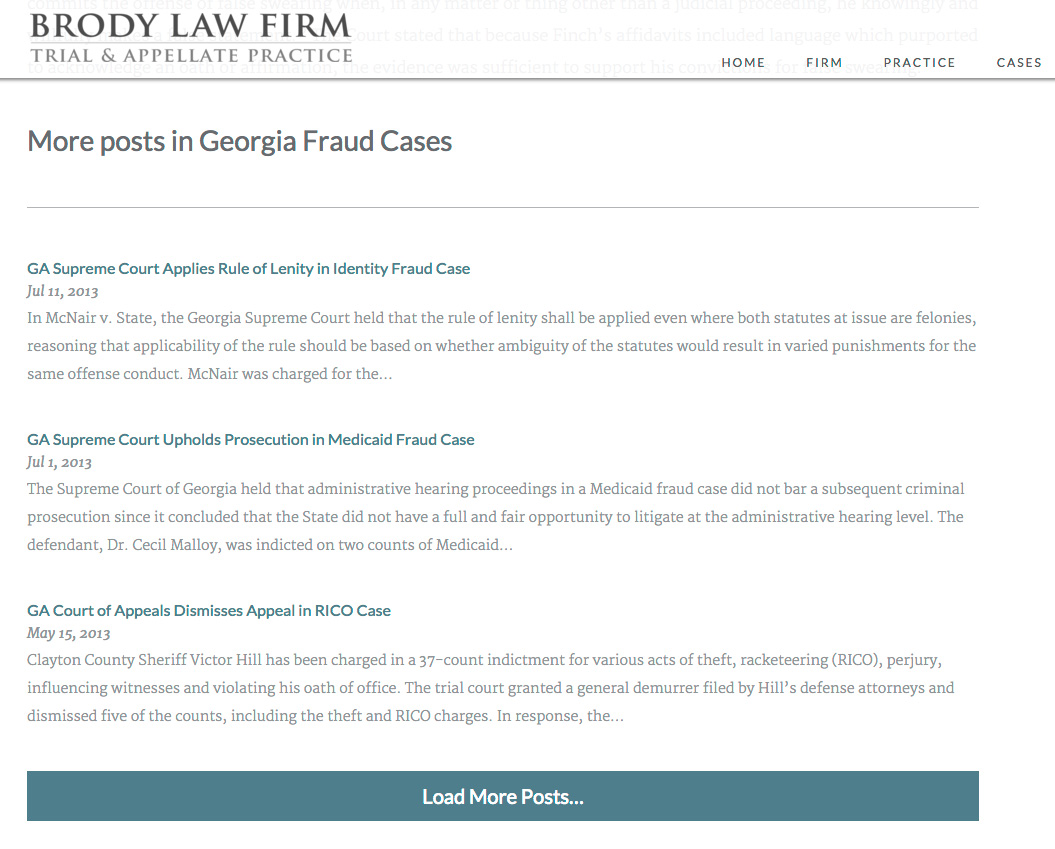
On Brody Law Firm’s website (not live, coming soon), at the bottom of an individual post we display more posts from the same category and a button to load more. The code to power this is very similar to the above example, except we’re triggering it on click rather than on scroll.
| <?php | |
| /** | |
| * Javascript for Load More | |
| * | |
| */ | |
| function be_load_more_js() { | |
| if( ! is_singular( 'post' ) ) | |
| return; | |
| $query = array( | |
| 'post__not_in' => array( get_queried_object_id() ), | |
| 'category_name' => ea_first_term( 'category', 'slug' ), | |
| 'posts_per_page' => 3 | |
| ); | |
| $args = array( | |
| 'url' => admin_url( 'admin-ajax.php' ), | |
| 'query' => $query, | |
| ); | |
| wp_enqueue_script( 'be-load-more', get_stylesheet_directory_uri() . '/js/load-more.js', array( 'jquery' ), '1.0', true ); | |
| wp_localize_script( 'be-load-more', 'beloadmore', $args ); | |
| } | |
| add_action( 'wp_enqueue_scripts', 'be_load_more_js' ); | |
| /** | |
| * AJAX Load More | |
| * | |
| */ | |
| function be_ajax_load_more() { | |
| $args = isset( $_POST['query'] ) ? array_map( 'esc_attr', $_POST['query'] ) : array(); | |
| $args['post_type'] = isset( $args['post_type'] ) ? esc_attr( $args['post_type'] ) : 'post'; | |
| $args['paged'] = esc_attr( $_POST['page'] ); | |
| $args['post_status'] = 'publish'; | |
| ob_start(); | |
| $loop = new WP_Query( $args ); | |
| if( $loop->have_posts() ): while( $loop->have_posts() ): $loop->the_post(); | |
| be_post_summary(); | |
| endwhile; endif; wp_reset_postdata(); | |
| $data = ob_get_clean(); | |
| wp_send_json_success( $data ); | |
| wp_die(); | |
| } | |
| add_action( 'wp_ajax_be_ajax_load_more', 'be_ajax_load_more' ); | |
| add_action( 'wp_ajax_nopriv_be_ajax_load_more', 'be_ajax_load_more' ); | |
| /** | |
| * First Term | |
| * Helper Function | |
| */ | |
| function ea_first_term( $taxonomy, $field ) { | |
| $terms = get_the_terms( get_the_ID(), $taxonomy ); | |
| if( empty( $terms ) || is_wp_error( $terms ) ) | |
| return false; | |
| // If there's only one term, use that | |
| if( 1 == count( $terms ) ) { | |
| $term = array_shift( $terms ); | |
| } else { | |
| $term = array_shift( $list ); | |
| } | |
| // Output | |
| if( $field && isset( $term->$field ) ) | |
| return $term->$field; | |
| else | |
| return $term; | |
| } |
| jQuery(function($){ | |
| $('.post-listing').append( '<span class="load-more">Click here to load earlier stories</span>' ); | |
| var button = $('.post-listing .load-more'); | |
| var page = 2; | |
| var loading = false; | |
| $('body').on('click', '.load-more', function(){ | |
| if( ! loading ) { | |
| loading = true; | |
| var data = { | |
| action: 'be_ajax_load_more', | |
| page: page, | |
| query: beloadmore.query, | |
| }; | |
| $.post(beloadmore.url, data, function(res) { | |
| if( res.success) { | |
| $('.post-listing').append( res.data ); | |
| $('.post-listing').append( button ); | |
| page = page + 1; | |
| loading = false; | |
| } else { | |
| // console.log(res); | |
| } | |
| }).fail(function(xhr, textStatus, e) { | |
| // console.log(xhr.responseText); | |
| }); | |
| } | |
| }); | |
| }); |
I’m only enqueuing this script on single posts. For the query, we’re requesting posts in the same category, excluding the current post. Also note how the Javascript file triggers the AJAX query when the .load-more element is clicked, rather than on scroll.
Any Questions?
I hope this in-depth tutorial helps you implement infinite scroll in your own projects.

Jordan says
Awesome man! Works like a charm! Thank you!
I did have one question related to the markup of the additional posts. In the be_ajax_load_more() function, I’m outputting a modified version of the genesis loop -> http://pastie.org/10868812
On line 17, I have
printf( '', genesis_attr( 'entry' ) );but this does not output the entry class. Is this a scope issue?I was able to target a different class to apply the css I needed but curious why it doesn’t output and what the best way to output it would be.
Thanks man!
Bill Erickson says
Hmm, that’s weird, everything looks right to me. I never use that though. I’d use
implode( ' ', get_post_class() )Gabe Lloyd says
I’m getting the same issue. I couldn’t see the pastie example you posted. Where did you put the `implode(‘ ‘, get_post_class())`?
Bill Erickson says
In the post above, I use be_post_summary(); to represent the actual output of the post. It would be inside that function that I would output
implode( ' ', get_post_class() )on the post entry.Gabe Lloyd says
Thanks, Bill. I’m just running a regular
get_template_part()within the new loop where you are calling the be_post_summary() function. All my content areas within the templates use thepost_class.if( $loop->have_posts() ): while( $loop->have_posts() ): $loop->the_post();
get_template_part( 'template-parts/post/content', get_post_format() );
endwhile; endif; wp_reset_postdata();
Tony says
Hi Bill,
Thanks for sharing this. It works great, but I’m having trouble with a modification and I’m hoping you can point me in the right direction.
I’d like the “Load more posts…” button to load a different amount of posts that page 1. For example, if I land on the blog page and see 10 posts, I’d like the load more button to load an additional 5 posts per click.
I tried some things with posts_per_page and offset, but it was doing strange things. I’ll keep working on it, but if you have any pointers on how best to approach this I’d really appreciate it.
Tony says
Forgot to mention, there’s an extra } on line 26 of be_load_more_js. Thanks again!
Bill Erickson says
The
pagedparameter is ignored if you use theoffsetparameter. You’ll need to do your own math. Offset = [Posts on First Page] + [Posts on Subseqeuent Pages] * ([Current Page] – 2).Example:
$args['offset'] = 10 + 5 * ( page - 2);My Genesis Grid plugin lets you have a different number of posts on the first page and subsequent pages. See the query here.
Tony Eppright says
Thank you so much! I was able to modify your example to get it to mostly work:
https://gist.github.com/AlphaBlossom/8ba1577ecdd06a9dd3429e3a94118c1b#file-click-to-load-php
I’m still having one issue. It doesn’t work if I use the conditional check if( $query->is_main_query(). If I comment that out, it works exactly as needed.
I’m using the Genesis sample theme with no plugins and no other modifications. My understanding is not using this can cause other issues.
Thank you again, this is such a huge help!
Bill Erickson says
It’s not working because the query you’re trying to modify ISN’T the main query, it’s a custom query.
Do this instead: https://gist.github.com/billerickson/f80a453c283df6eafb9e04fb6c329f2e
And here’s the difference between the two: https://www.diffchecker.com/iwnyjakj
Tony Eppright says
of course, thank you. Long day working on this 🙂 Thanks again so much!
Tony Eppright says
I totally missed this. I’ll give it a go. Thanks for putting that together.
Gerhard says
Hi Bill
Firstly, thanks you for the article, you saved my butt there. 🙂
I just have one question, how would I check to see if I reached the last page? That way I can add a statement to not show the “load more” button again.
G
Bill Erickson says
$wp_query->max_num_pagesshows you the maximum number of pages for the current query.So instead of using Javascript to add the “Load More” button (line 20 of load-more.js), include it in the ajax function
be_ajax_load_more(), and before displaying it make sure$wp_query->max_num_pages > $_POST['page']Gerhard says
Thanks 🙂
Tony Eppright says
How would you recommend adding the check so that it doesn’t repeat itself? Since be_ajax_load_more() is being duplicated, adding the button in the function repeats itself also.
Nick Davis says
First of all thanks to Bill for an awesome tutorial.
Tony – I don’t know if this is the best way (Bill might tell me this is horrible 😉 ) but I was working on something similar just last night (still in local development), at the moment I’m using jQuery to remove the first instance of the Load More button when the script successfully runs.
(And of course the ‘second’ (new) Load More button only loads if there’s more posts to show anyway, as per Bill’s advice above).
Bill Erickson says
In the javascript file, right after you set
loading = true, add a line to remove the button, like$('.post-listing .load-more').remove();Tony Eppright says
Thank you guys for pointing me in the right direction. That didn’t work for me, but I was able to pull in $wp_query->max_num_pages via wp_localize_script and use that for a conditional statement in the load-more.js script.
Added a loading spinner and new posts fade in, working great now! Thanks again for your help!!!
Alexander says
How exactly did you do it. Could you share your code?
Tony Eppright says
I’m sure it can be improved upon, but here’s what I put together:
https://gist.github.com/AlphaBlossom/845721ab5c556933de0e6092296944b5
Alexander says
Thank you! It really helps me, but i change it little bit for scroll loading.
Ali Zohaib says
Instead add this where it says loading = false in the loop :
if(! Boolean(res.data)){
$(‘.load-more’).css(“visibility”,”hidden”);
}
Zeke says
@Ali
That code doesnt seem to work for me. Any idea why?
Zeke says
The above should say:
Instead add this _AFTER_ where it says loading = false in the loop :
Darci says
I’m getting an error trying to implement this on MAMP: http://localhost/wp-admin/admin-ajax.php 500 (Internal Server Error)
My debug log says: Error in GetAllFileNamesFromDirectoryWithFileMask.
I have plugins on my site that use AJAX, and they’re still working properly.
Any chance you’ll know what to do? I’m new to the dev side of things and I feel this is getting nitty gritty.
Thanks in advance
Juan says
Hi Bill, Excellent article. I wanted to ask, how does the be_post_summary() function work? does it return the markup for the loop? Do you create that function elsewhere?
Bill Erickson says
Yes, it handles the markup for the posts. I didn’t include it in the code above because the specific markup I used isn’t relevant to the tutorial and everyone’s implementation will use different markup.
If the function will only be used for the infinite scroll then I put it in the same file with all the other infinite scroll code. But often times it’s a generalized function used to display content anywhere throughout the site (main loop, related posts after post, infinite scroll…) in which case it’s usually in inc/post-summary.php in my theme.
Ritchie says
For a not so good in programming. This does not help me. There are no instruction on how to add in the front-end of front-page template. Reading comments doesn’t help either. 🙁
Ritchie says
I made it work but the loop doesn’t reset or stop. and also, it ruins my parallax background image.
Nick Berry says
I tried the 1st method and got an error that says “Uncaught TypeError: Cannot read property ‘top’ of undefined”. After spending too much time to resolve it I ended up having to use Jetpack to meet my deadline. I would like to use this method in the future if I can figure it out.
simon says
i think your error is to do with these 2 lines:
wp_enqueue_script( ‘be-load-more’, plugins_url( ‘/js/scripts.js’, __FILE__ ), array(‘jquery’), ‘1.0’, true );
wp_localize_script( ‘be-load-more’, ‘beloadmore’, $args );
Gabe Lloyd says
I had a similar issue. You have to create the
before setting it to the variablebutton.I did something like
$('#main').append( '' );so the creation of the class is done before the variable.var button = $('.load-more');
Hope that helps.
simon says
im trying to implement this for the template archive.php, how would this template file look? do I still use the loop in there?
Bill Erickson says
Yes, the loop produces the first page’s results. The infinite scroll simply loads the additional page’s results as you scroll or click.
The only thing you need to remove is the pagination links. It might be a good idea to do that using Javascript so that if the JS doesn’t load right, it gracefully degrades to standard paginated posts.
Jessica says
I’m using a Genesis Child theme. I’m also interested in what Simon asked, is there any tutorial online that shows what the php would look like modified to load the archive/categories using infinite scroll for Genesis while hiding pagination?
Even how to apply it to the footer after comments of a single post? I’m assuming you could somehow use the Genesis hooks but have no idea of how to modify it.
Bill Erickson says
Both of the tutorials above apply to the main Genesis loop. One shows how to load more posts as the user scrolls, and the other shows how to load more after the user clicks a button.
What specifically are you looking for that’s not covered above?
Jessica says
Thank you for your response Bill.
I added the first functions script and javascript file to see what happened once I did, but I after checking, it didn’t modify anything in my child themes behavior.
I managed to identify the css triggers:
.content
.pagination
.archive-pagination div.pagination-next a (so long as I’m using a Prev/Next pagination rather than numbers)
.post
But I’m not sure how to use your provided code to infinite scroll the:
a) Category/tag pages (instead of number pagination)
b) After single posts (after the comments section)
Terrell says
Hi, I tried this method and it didn’t do anything. I was looking to add infinite scroll on my single.php so that when the user scrolls to the end of the post it loads the previous post for at least 10 post.
I tried the second method and nothing happened. I placed the code in my functions.php and I also created the load-more.js
Can I get some assistance. I have been trying to figure out how to do this for a week and I have tried all the free wordpress plugins for this and none of them work as I like.
Bill Erickson says
I’m sorry but I don’t provide support. You might try hiring someone on Codeable to help debug your code.