April 3, 2010
Redirect Pages in Thesis
If you change a page’s name and URL, you’ll want to use this technique to make sure visitors to the old URL are redirected to the new one.
April 3, 2010
If you change a page’s name and URL, you’ll want to use this technique to make sure visitors to the old URL are redirected to the new one.
March 9, 2010
Here’s an overview on how to build an extremely custom Author Page for Thesis.
February 25, 2010
Here’s a quick tip on how to add Related Posts (or anything else) at the end of a post but before the comments link.
February 25, 2010
I’ll show you how to display an author’s gravatar next to post titles, and customize the default Gravatar for commenters who don’t have one already.
February 21, 2010
This is how you can add custom introductory text or images to the top of category pages.
January 20, 2010
This is a simple but common mistake. When you replace the site title in the header with a custom logo, use this code to make it click through to your homepage.
December 21, 2009
Only want the posts from certain categories to show up on your homepage? This quick tip will show you how.
December 14, 2009
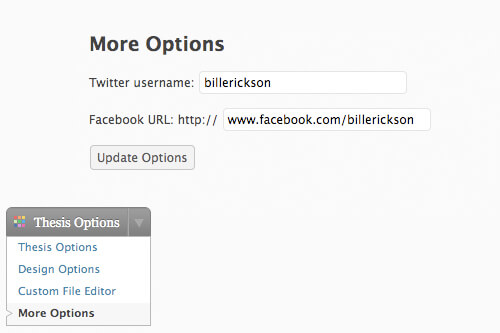
Do you wish you could add a few more options to the Thesis Options menu? I’ll show you how to create an additional options page and how to pull the data from it into your Thesis website.
December 12, 2009
(Originally posted on Building43, Rackspace’s community website) Frameworks have become all the rage in the development community. There’s Rails for Ruby, Blueprint for CSS, and now Thesis for WordPress. Thesis…
December 10, 2009
At the bottom of your posts is a link to the previous and next post. This quick tip will show you how to change that.
December 7, 2009
One of Thesis’ greatest features is the extensive design options. But these changes aren’t stored in the theme files. This tutorial will help if you’re planning to move your site or would like to backup your design changes.
December 2, 2009
By adding a print stylesheet to your website, you ensure your site will look great on both the web and paper.
November 26, 2009
I’ll walk you through the steps of adding a Featured Content slideshow to the top of your homepage (using the Featured Content Gallery plugin), and modifying the plugin to work with the default Thesis custom fields.
November 16, 2009
For Christmas, I’ll be redesigning a website for free! I’m calling it “WordPress for Clunkers”
August 26, 2009
This is a very elegant solution to the problem of having multiple content areas on a single page. It uses headlines to identify the different blocks of content.