WordPress is not always the right solution for a website.
That is a strange sentence for me to write. I have spent 20 years building with WordPress, and I still think it is the right tool for many publishers, including my clients at CultivateWP.
In the past, I used WordPress for everything: blogs, business sites, internal CRMs, and even a rebuild of my favorite bookmarking site. But I no longer reach for WordPress automatically.
For many small business and brochure sites, Astro is now a better fit. A site that once needed a CMS, custom fields, plugins, and an admin workflow can often become a simple static site with Markdown content and developer-assisted, or AI-assisted, updates.
I recently rebuilt the Sundheim Group site by moving a nine-year-old WordPress site to a static Astro build hosted on Cloudflare.
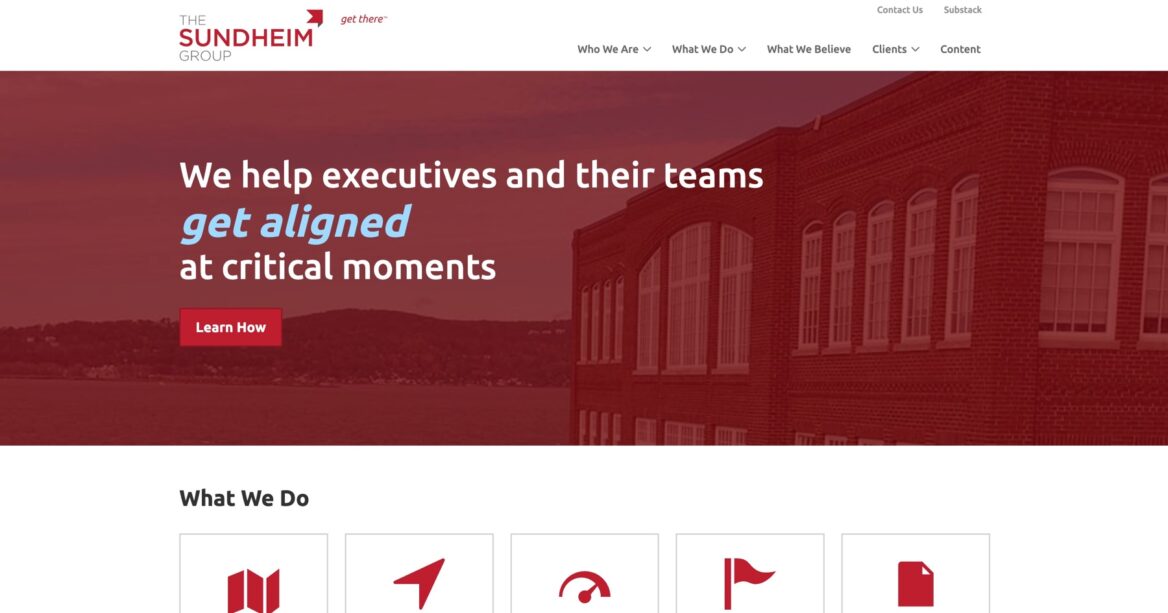
My Hermes agent did the first pass: creating an inventory of the old site’s content, creating a design brief from the existing WordPress site, and rebuilding the content with Astro components. The important work came next: reviewing what transferred well, fixing what did not, and rebuilding the pieces that WordPress plugins used to handle.
When Astro is a good fit
Astro is a good fit when the public site is mostly static and the editing workflow does not need to happen in a CMS.
That describes a lot of business websites. WordPress is often being used as a database for simple pages that only change a few times a year.
The Sundheim Group site was a good example. We built the original site in 2017. Since then, only minimal content changes had been made, and they were done by sending me Word docs.
Doug’s active writing and podcast work had moved to Substack. The WordPress site had become the front door: services, case studies, credibility, and contact.
Keeping WordPress live meant managed hosting, plugin updates, backups, security patches, and an admin backend that was rarely used.
Astro let us keep the public website and remove the ongoing CMS burden. The new site is hosted for free on Cloudflare.
Start with an inventory
The first step is not design. It is inventory.
Before rebuilding anything, I wanted to know exactly what existed on the old site:
- public URLs
- content types
- taxonomies
- redirects
- embedded forms and scripts
- images and files
- one-off templates
- SEO metadata
WordPress SEO plugin sitemaps are useful for this. They list posts, pages, custom post types, taxonomies, and last modified dates. I turned that into a Migration Inventory.md file that described the site structure and gave the agent a concrete migration target.
Create the design brief
The goal was not to redesign Sundheim Group from scratch.
The old site already had an established, professional visual identity. The rebuild needed to preserve that feel while replacing the implementation with cleaner, reusable pieces.
I created a DESIGN.md file from the existing website. It described the typography, color palette, page structure, spacing, components, and design guardrails.
Once the content inventory and design brief were in place, the agent had enough context to build the first Astro version.
Don’t skip the QA process
You can copy the obvious pages and still miss the behavior hiding in the content.
Old WordPress sites often contain newsletter embeds, Gravity Forms, survey scripts, YouTube shortcodes, tracking snippets, unexpected image paths, redirects, and one-off page templates.
On this project, the first Astro pass moved the visible content over but left broken functionality as static markup in the page. The cleanup pass found the important details:
- The contact page needed a real replacement form.
- The newsletter page needed a working Substack signup form instead of stale Gravity Forms markup.
- The assessment and speaking pages had third-party embeds that needed to be preserved deliberately.
- A video page had an old YouTube shortcode that needed to become a responsive HTTPS iframe.
I extracted the contact form into a reusable Astro component. Submissions post to a Cloudflare Worker, which verifies a Turnstile captcha server-side, normalizes the fields, and sends the notification through Cloudflare’s Email Service send_email binding.
The form does not need SMTP or a paid transactional email service. It uses a verified Cloudflare Email Routing destination address. In Cloudflare, destination addresses are account-level verified recipients. The same verified address can receive direct sends from a Worker.
For the newsletter page, I inspected the live Substack form and rebuilt a simple static form that posts to Substack’s real endpoint.
For the assessment page, I kept the SurveyGizmo script because that page’s purpose was the external assessment. The difference is that it now lives in a route-specific component instead of being buried inside a large escaped content blob.
SEO still matters
Astro gives you a clean slate, which is both helpful and dangerous.
A static site can be very SEO-friendly, but not if every page hand-rolls its own title tag, canonical URL, Open Graph tags, and schema.
Joost’s Astro SEO: the definitive guide really helped me with this. He recommends centralizing SEO instead of sprinkling tags throughout the site.
On these Astro builds, that means:
- a shared layout-level SEO layer
- canonical URLs generated from the configured production site URL
- robots handling that can noindex staging while allowing production indexing
@astrojs/sitemapfor sitemap output- RSS feeds for blog or article content
- JSON-LD structured data for the site, person or organization, pages, breadcrumbs, and blog surfaces
- build-time checks for metadata length, H1s, image alt text, and internal links where possible
SEO should be part of the site system, not something you remember to paste into individual pages.
PageSpeed improves, but not automatically
Astro starts with a big advantage: static HTML, minimal JavaScript, and assets that can be served from a CDN. That does not mean there’s no room for improvement.
On Sundheim Group, the old WordPress site scored 35 for mobile performance in PageSpeed Insights. After the initial Astro build, the score was around 85. I eventually reached 100 across Performance, Accessibility, Best Practices, and SEO by fixing the boring details:
- optimizing images and generating lighter WebP versions
- adding responsive image variants for large hero images
- removing unnecessary JavaScript from pages that did not need it
- making embedded video responsive instead of layout-breaking
- replacing custom fonts with a modern font stack (although the client pushed back and had me reverse this one)
Astro makes a fast site easier to build, but PageSpeed still rewards the same practical work: image sizes, font loading, layout stability, and delay/defer scripts.
AI agents are great at optimizing Astro sites because Lighthouse gives them a tight feedback loop and they are in control of the entire stack. They can run the audit, identify the next bottleneck, make a focused change, and test again.
That is much harder on WordPress. I can hyper-optimize a WordPress theme, but a plugin or script added after launch can wipe out those gains.
The tradeoff is editing
The tradeoff is editing convenience.
WordPress gives non-technical users an admin UI. Astro gives you a simpler, faster, safer public site, but content changes usually move into Git, Markdown, code review, and deployment.
For many business clients, that is not a problem. If they only make minor content changes a few times a year, emailing me directly can be easier than logging into WordPress. The cost savings on hosting and plugins can also exceed the cost of having me make those occasional updates.
But this is not a universal recommendation.
For active publishers, the lack of a full CMS is usually a non-starter. Their editorial workflow is built around WordPress, custom fields, roles, previews, revisions, recipe plugins, and team habits. An Astro-based CMS may be interesting, but it will not replace that workflow for most of them.
My current approach
I still recommend WordPress when the site needs an editorial workflow, like most of my clients at CultivateWP.
I recommend Astro when the site is mostly static, the content can live in Markdown, and the owner values speed, security, low maintenance, and simple infrastructure more than a browser-based editing experience.
The key is to decide that up front. You should clearly communicate the pros and cons to the client, and let them make the decision.
